
![+500 ALLSTARS MULTIKIT SOUNDS [BY @prodbytidz & @hytrape] HYTRAPE](http://hytrape.com/cdn/shop/files/MULTIKIT_ALLSTARS_COVER.jpg?v=1722520643&width=240)
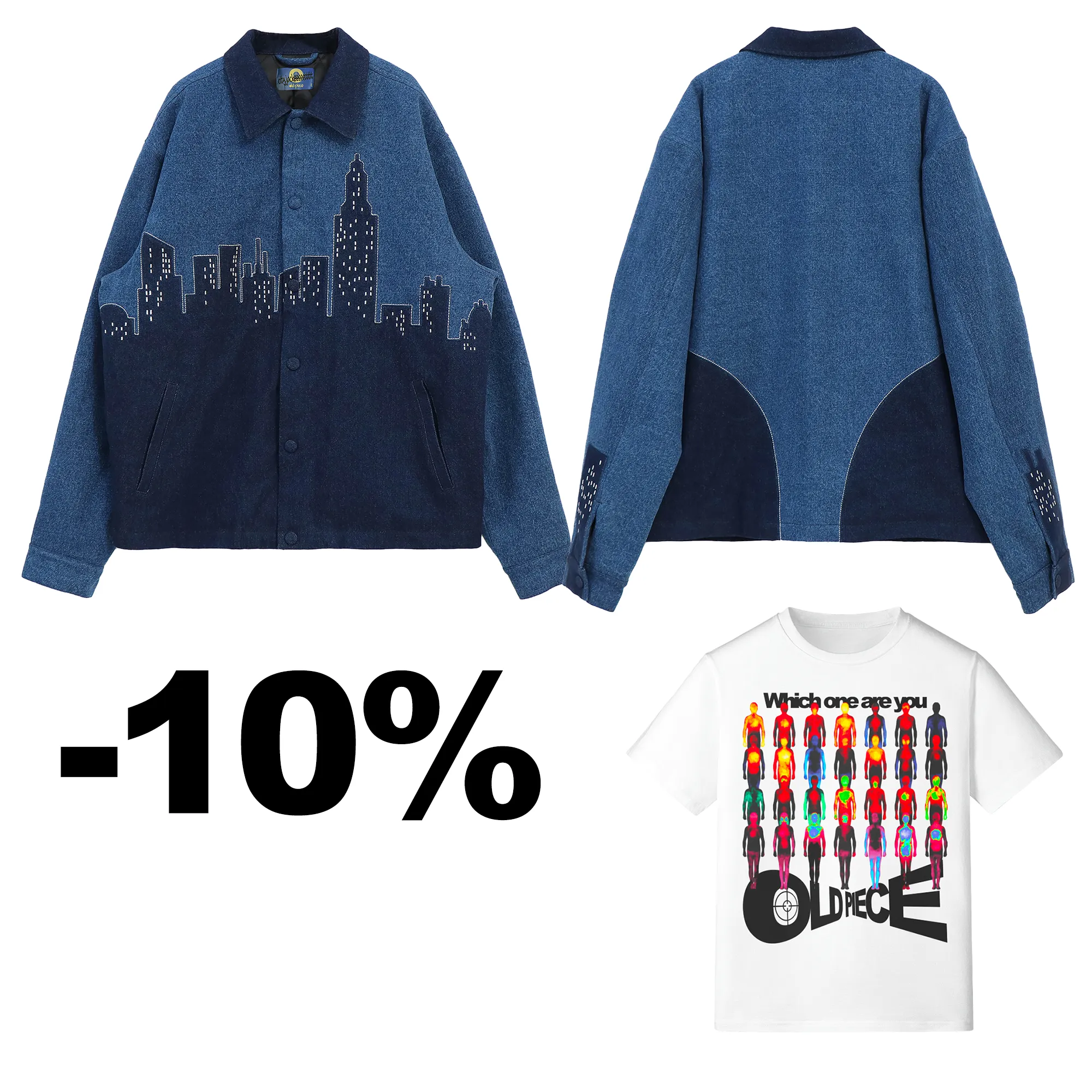
![Aperçu 2 sur 9 de Pack Veste + TEE Shirt [BY OldPiece], ressource créative numérique par OldPiece](http://hytrape.com/cdn/shop/files/Situation_copie_3fcab232-4933-4c1e-9ff2-cbd69840b12d.webp?v=1727789362&width=1200)
![Aperçu 3 sur 9 de Pack Veste + TEE Shirt [BY OldPiece], ressource créative numérique par OldPiece](http://hytrape.com/cdn/shop/files/modifBG2_copie_6ed0ddb7-1f17-4221-b29b-5b36d651c5b6.webp?v=1727789362&width=2100)
![Aperçu 4 sur 9 de Pack Veste + TEE Shirt [BY OldPiece], ressource créative numérique par OldPiece](http://hytrape.com/cdn/shop/files/action_4596343f-bff2-47c2-80ee-f5d60d5aef84.png?v=1727789362&width=1200)
![Aperçu 5 sur 9 de Pack Veste + TEE Shirt [BY OldPiece], ressource créative numérique par OldPiece](http://hytrape.com/cdn/shop/files/Boutonsclosup_b0bad3f8-c863-46bb-8c43-c519b8546c9f.webp?v=1727789362&width=2000)
![Aperçu 6 sur 9 de Pack Veste + TEE Shirt [BY OldPiece], ressource créative numérique par OldPiece](http://hytrape.com/cdn/shop/files/mancheclosup_2e7653ed-710b-4938-89cf-4f65b0a290ff.webp?v=1727789362&width=2000)
![Aperçu 7 sur 9 de Pack Veste + TEE Shirt [BY OldPiece], ressource créative numérique par OldPiece](http://hytrape.com/cdn/shop/files/doublureclosup_5e77a80f-1c3a-44dd-8233-2839fe0993ce.webp?v=1727789362&width=2252)
![Aperçu 8 sur 9 de Pack Veste + TEE Shirt [BY OldPiece], ressource créative numérique par OldPiece](http://hytrape.com/cdn/shop/files/Pocheclosup_2e442bf7-551a-4301-85d1-66d6b5cfd281.webp?v=1727789362&width=2200)
![Aperçu 9 sur 9 de Pack Veste + TEE Shirt [BY OldPiece], ressource créative numérique par OldPiece](http://hytrape.com/cdn/shop/files/retourchesiteTHERMALcopie_3b57c0a6-746e-4bfd-8b1e-4f7ab7102fdb.png?v=1727789362&width=1200)
Pack Jacket + TEE Shirt [BY OldPiece]
Sale price€155,00 EURRegular price
€170,00 EUR
Pack Jacket + TEE Shirt [BY OldPiece]
XS / S
Sale price€155,00 EURRegular price
€170,00 EUR
FAQs
How do I access my files after purchase?
Directly after payment, you'll see a confirmation page and a link in the email. Once you're logged into your account, you'll find them in "My Files."
I can't download my product. What should I do?
Check your spam box. If the problem persists, contact us at contact@hytrape.com . We will respond within 24 hours.
Do I need Photoshop?
Some products (mockups, text effects, templates) do, while others are compatible with all image editors. See product specifications.
How to use your mockups?
Open the PSD file > double-click the smart object > add your design > save > it's done.